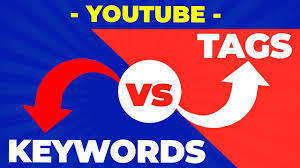
YouTube Tags vs. Keywords: Your Complete Guide to Optimizing for Search & Discovery
Understanding the difference between YouTube tags and keywords is fundamental to mastering YouTube SEO. While often confused, they serve distinct roles in telling YouTube—and your audience—what your video is about.
Here’s a simple breakdown:
Keywords are the core topics and search terms you want to rank for. They are strategically placed in content your audience sees: your title, description, and script.
Tags are backend labels you add in YouTube Studio. They help YouTube's algorithm categorize your video and connect it to similar content. Viewers do not see them on the watch page.
Used together strategically, they form a powerful combination that boosts your video's discoverability, a critical component for viral potential.
Part 1: Definitions & Core Functions
What Are YouTube Keywords?
Keywords are the specific words and phrases that describe the central topic of your video. They represent what your target audience is typing into the YouTube search bar.
Where You Use Them: In all public-facing metadata.
Video Title (Most important placement)
Video Description
Video Script / Spoken Content (YouTube's AI transcribes your audio)
Closed Captions / Subtitles
Primary Purpose: To signal relevance to both users (via clear titles/descriptions) and YouTube’s search algorithm for specific search queries. They answer the question: "What is this video about for someone looking for it?"
What Are YouTube Tags?
Tags are descriptive keywords or phrases added in a dedicated field in YouTube Studio during upload. They are not visible to viewers on the public watch page.
Where You Use Them: Solely in the "Tags" section of YouTube Studio (under "Details" when uploading or editing).
Primary Purpose: To provide additional context and categorization to YouTube's recommendation algorithm. They help YouTube understand your video's niche, connect it to related videos, and suggest it in "Up Next" sidebars and playlists. They answer the question: "What other related content and categories does this video belong to?"
Part 2: Strategic Importance: Why Use Each?
Why Keywords Are Your Foundation
Keywords are the cornerstone of search-driven discovery. A well-researched keyword strategy directly impacts your ability to attract organic traffic.
They Match User Intent: By targeting keywords your audience is actively searching for, you create content that fulfills a need.
They Drive Search Rankings: YouTube's algorithm heavily weights your title, description, and spoken words when determining if your video is the best answer for a search query.
They Set Audience Expectations: Clear, keyword-rich titles and descriptions improve your click-through rate (CTR) by accurately telling viewers what they'll get.
Tool Tip: Use tools like OneKit WebTools' YouTube Keyword Explorer to research high-volume, relevant keywords in your niche before you even film.
Why Tags Are Your Algorithmic Assistants
Tags refine and support the context provided by your keywords, aiding in suggestion-driven discovery.
They Improve Categorization: They help YouTube correctly place your video within a specific content ecosystem (e.g., "Python tutorial" vs. "general coding").
They Boost Related Video Placements: Relevant tags increase the likelihood of your video being suggested alongside other popular videos on similar topics, a major source of views.
They Clarify Specifics: Tags allow you to include variations, misspellings, or related terms (e.g., "UX design," "user experience," "UI UX") without cluttering your public description.
Part 3: Best Practices for Maximum Impact
How to Use Keywords Like a Pro
Research First: Identify 1-2 primary keywords (one broad, one specific) using keyword tools. Look for a balance of good search volume and achievable competition.
Prioritize Placement:
Title: Place your primary keyword at the beginning of your title.
Description: Use your primary keyword in the first 1-2 sentences. Naturally include secondary keywords later.
Script: Weave keywords naturally into your spoken content in the first 30 seconds and throughout the video.
Analyze & Adapt: Use YouTube Analytics to see which search terms are driving traffic to your video. Double down on what works.
How to Use Tags Effectively
Be Relevant & Specific: Your first tag should be your most important, exact keyword. Then, use a mix of:
Broad tags: (e.g.,
cooking)Specific tags: (e.g.,
easy chicken alfredo recipe)Related term tags: (e.g.,
pasta dishes,weeknight dinner)
Don't Overstuff: Focus on 10-15 highly relevant tags. Avoid misleading or irrelevant tags just because they are popular.
Use a Generator (Wisely): Tools like a YouTube Tag Generator can provide ideas, but always curate the suggestions to ensure they match your actual content.
How They Contribute to Viral Potential
A video goes "viral" through a combination of search discovery and, more critically, algorithmic recommendation. This is where tags and keywords work in tandem:
Keywords help your video get its initial views from search. A strong CTR and watch time from this targeted audience send positive signals to the algorithm.
Tags help YouTube confidently categorize your well-performing video and start suggesting it to viewers watching related content.
If the video resonates (high retention, likes, shares), YouTube's algorithm amplifies it further through the "Up Next" sidebar and Home Page, leveraging the contextual map created by your keywords and tags.
In essence: Keywords get you into the game. Tags help the algorithm put you on the right team. Great content makes you the MVP, triggering recommendations that can lead to a viral surge.
Final Checklist for Your Next Upload
Keywords: Researched primary keyword. Included in Title, Description first line, and Script.
Tags: 10-15 relevant tags added, starting with the exact primary keyword.
Goal: Keywords target search intent. Tags support algorithmic context.
By mastering both elements, you give every video the strongest possible foundation for growth.